SmartRace for Carrera Digital
SmartRaceAppsEntertainment
4.889.00 Reviews
- Version
- 8.0.4
- Installs
- 10.00K
- Age Rating
- Everyone
Screenshots
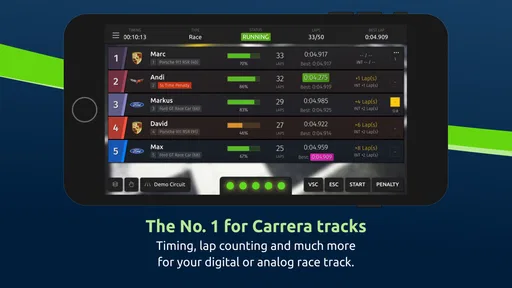
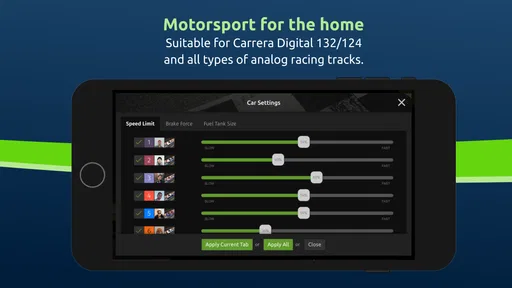
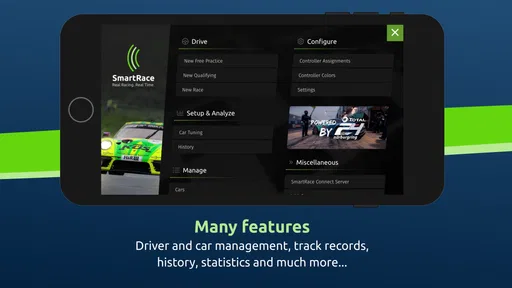
Our Review of SmartRace for Carrera Digital
 Analysis by Appyee
My first impression of SmartRace for Carrera Digital is that it makes most sense when the cars are already on the track and you want the session to feel more organized. A Carrera Digital layout can be a lively family pastime, but keeping track of laps, times and who is driving can become a job for whoever is not racing. This entertainment app, made by SmartRaceApps, is aimed at Carrera Digital 132 and 124 owners who want that information handled alongside the racing rather than remembered by the group.
Before the cars leave the grid
The practical starting point is having a compatible Carrera Digital setup and a phone or tablet ready to run the session. SmartRace is not a substitute for the slot-car system: it is a companion for people who want time tracking and lap counting to be part of the experience. That distinction matters. If you do not own a Carrera Digital layout, or you are looking for a standalone racing game, this is not the app I would choose.
I would also decide in advance who will manage the screen. At a casual gathering, it is tempting to hand the device around between heats, but a consistent person handling setup and race changes makes the evening smoother. That person can keep attention on the app while the drivers focus on their controllers. It is a small bit of planning that avoids turning each race into a discussion about whose turn it is to tap the screen.
The app has been available since April 21, 2015, and its current version is 8.0.4. It is listed for a minimum operating system of 8.0, so I would check that an older device meets the requirement before planning to use it as the group’s race screen. Because the app is paid at $10.99, it is worth checking compatibility and making sure the group will use its timing and counting tools regularly rather than buying it for a single novelty race.
From setup to a finished heat
My preferred workflow starts before the first car is released. Get the device into the hands of the person running the session, settle on who is driving, and agree how you will handle the next heat. Once everyone understands the routine, the app’s main role—tracking laps and time—can sit in the background instead of interrupting the fun. The useful test is whether it reduces questions during a race, not whether the screen looks busy.
For a family evening, I would keep the first races simple and use them to establish a rhythm: choose the drivers, run the heat, then check the result before changing the lineup. If the group wants more structure, the app’s race customization and driver-management options can support a more organized evening. Profiles are especially helpful when the same people come back to race, because results can be associated with drivers instead of being lost in a general tally.
There is a trade-off here. Adding more parameters can make a session feel like a proper competition, but it also asks the host to spend more time setting things up and explaining the rules. For younger drivers or a mixed group of experienced and first-time racers, I would resist the urge to configure everything at once. Start with a straightforward heat, make sure everyone understands the flow, and introduce extra structure only if the group wants it.
Keeping the group and the device in sync
The biggest handoff is between the physical race and the person watching the app. Drivers are concentrating on their cars; the person managing the phone needs to stay available to monitor the session and keep the group moving. If everyone expects the app to take care of the whole evening automatically, that expectation may lead to frustration. It can help organize race information, but the host still has to decide who races next and keep the social side of the event flowing.
Driver profiles also work best when people use them consistently. If a regular racer switches between a nickname and a different profile from one visit to the next, their history becomes harder to interpret. I would settle on clear names before the first session and avoid creating a new entry every time someone joins. That is a simple organizational habit, not an advanced feature, but it makes accumulated results more useful.
SmartRace has an average rating of 4.8 from around 1.4 thousand ratings, with 89 written reviews and over 10 thousand installs. It is rated for Everyone. Those figures suggest that it has found an audience among slot-car owners, but they do not answer the most important personal question: whether you race often enough to value a dedicated companion app. I would judge it by how much effort it removes from your own race nights.
What the results add to a race night
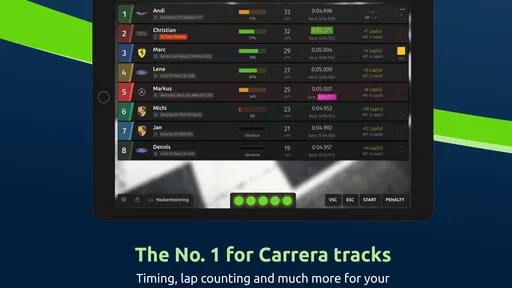
The payoff is more than knowing who crossed the finish line first. Lap counts and times give a group something concrete to compare after a heat, while race history and driver statistics can give repeat players a reason to come back and see how they are doing. That can turn a one-off living-room race into a small ongoing league without requiring someone to keep handwritten notes after every session.
A realistic example is a weekend gathering where friends arrive at different times. The host can run an early heat with whoever is ready, then bring late arrivals into the next one, rather than making everyone wait for a perfectly organized tournament. Driver records are most valuable when the same people return, while a one-time crowd may get more out of basic lap and time tracking. Knowing that difference can help you decide how much setup is worthwhile.
Compared with the usual alternatives—counting laps aloud, relying on memory, or having one person write results down—an app-based record can make it easier to keep a session moving and look back at performance. The handwritten approach may still be better for a very occasional race or a group that wants no phone involved. SmartRace’s value is clearest when timing and records are part of the fun, not when the group simply wants to run a quick heat and move on.
Where the flow can stumble
A phone adds a point of friction to an activity that is otherwise hands-on. Someone has to manage the screen, and attention can drift from the track if the group keeps stopping to change settings or inspect results. I would keep the device in one place, choose a session routine, and check the outcome between heats rather than trying to make every driver interact with it during the race.
There is also a real cost to consider. The app is priced at $10.99, and it offers in-app purchases ranging from $2.49 to $234.99 per item. That wide range makes it sensible to review what an optional purchase actually provides before spending more; I would not assume that every paid option is necessary to enjoy the core timing and lap-counting purpose. If your Carrera setup comes out only occasionally, the base purchase may be harder to justify than it is for a household that races regularly.
On the other hand, a frequent group can benefit from putting the same device and routine in place each time. The app is most compelling when one person is happy to act as race organizer and the rest of the group wants a clearer record of who drove and how each heat went. If everyone prefers spontaneous racing with no one assigned to manage details, a simpler approach may feel more natural.
Ever felt the thrill of a real car race but wished you could experience it from the comfort of your own living room? That's exactly what SmartRace for Carrera Digital offers. This nifty app transforms your racing experience into something straight out of a high-tech dream, and I'm here to give you the lowdown on why it's worth checking out.
Getting Started with SmartRace
First things first, let's dive into what you need to get this app rolling. SmartRace for Carrera Digital is designed to work seamlessly with Carrera Digital slot car systems. So, if you’ve got one of those, you’re already halfway there. The app is available for both Android and iOS, which is a win-win for everyone.
Installation is a breeze. Just head over to your app store, download, and you’re good to go. The interface is intuitive, making it easy for even the least tech-savvy among us to navigate through the setup. Trust me, you won’t need an engineering degree to get this thing running.
The Features That Rev Up the Fun
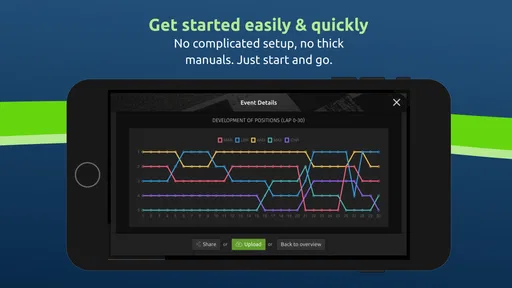
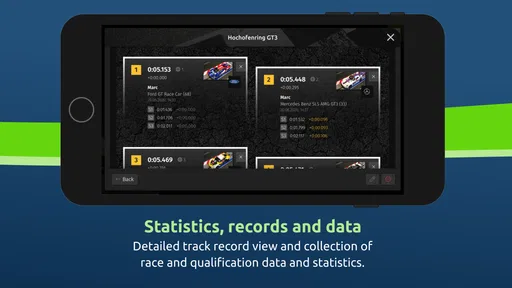
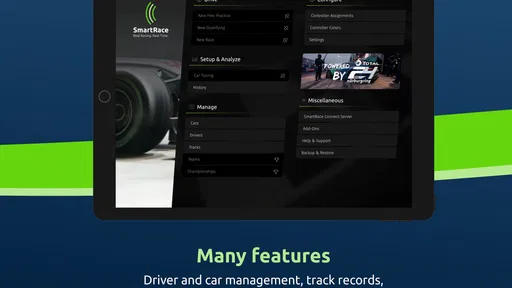
Once you’re in, the app offers a slew of features that take your racing game up a notch. You can customize races with different parameters, track lap times, and even manage pit stops. For the stat geeks among us, the app keeps a detailed record of race histories and driver stats, so you can analyze and strategize to your heart’s content.
One of my favorite features is the ability to manage multiple drivers. You can add profiles for different players, and the app will keep track of each person's performance. It’s like having your own personal racing league right there in your living room.
Racing Like a Pro
Now, let’s talk about the actual racing experience. The app brings the excitement of a real race to your fingertips. The graphics are sharp, and the sound effects make you feel like you're at the track. Plus, the app is super responsive, so there’s no lag between your commands and the cars’ actions. It's all smooth sailing—or should I say, smooth racing?
Another cool aspect is the option to include weather conditions. It adds an extra layer of challenge and realism. Whether it’s a sunny day or a rainy track, you’ll need to adapt your strategy to come out on top.
Why It’s Worth Your Time
So, why should you give SmartRace for Carrera Digital a shot? For starters, it’s a fantastic way to bring families and friends together for a bit of friendly competition. Plus, it’s a great way to introduce younger ones to the joys of racing without the worry of real-life road rules.
For those of you who are already racing enthusiasts, the app provides a more in-depth experience than traditional slot car racing. The ability to customize races and track progress adds a whole new dimension to the hobby.
"It’s not just an app; it’s an experience that turns your living room into a racetrack."
Wrapping It Up
In conclusion, SmartRace for Carrera Digital is a must-have for anyone who loves racing or is looking for a fun way to spend time with loved ones. It’s user-friendly, packed with features, and offers an engaging way to enjoy the thrill of racing without leaving your home.
If you have a Carrera Digital setup, I highly recommend giving this app a try. It’s not just about racing; it’s about creating memories and enjoying the competitive spirit in a digital format.
Verdict
Strengths of SmartRace for Carrera Digital
- Intuitive interface for easy navigation.
- Real-time race data enhances experience.
- Supports multiple devices simultaneously.
- Customizable race settings and rules.
- Compatible with various track layouts.
Limitations of SmartRace for Carrera Digital
- Limited offline functionalities.
- Requires constant Bluetooth connection.
- Some features need in-app purchases.
- Occasional lag in data updates.
- Limited to Carrera Digital systems.
Similar Picks in This Category
View All
Google Play Games
Google LLC3.9

Netflix
Netflix, Inc.4.8

YouTube Kids
Google LLC4.2

Disney+
Disney4.4

Prime Video
Amazon Mobile LLC4.7

Steam
Valve Corporation3.2
Frequently Asked Questions
What is SmartRace for Carrera Digital and how does it enhance my racing experience?
SmartRace for Carrera Digital is a companion app designed to enhance your Carrera Digital racing experience. By connecting your mobile device to your Carrera racetrack, the app provides real-time race data, lap times, and driver statistics. It offers customizable race settings, live commentary, and even allows for virtual safety car interventions, making your racing experience more immersive and interactive.
Is SmartRace compatible with all Carrera Digital tracks?
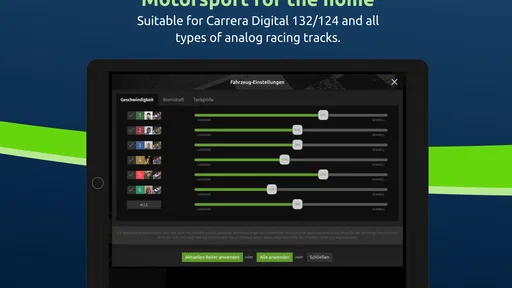
SmartRace is compatible with Carrera Digital 124 and 132 tracks. Before downloading, ensure your track system is one of these models. The app leverages Bluetooth or USB connectivity to sync with your track, so verify your device supports these features for seamless integration and optimal performance.
How user-friendly is the SmartRace interface for beginners?
SmartRace is designed with an intuitive user interface, making it accessible for beginners and experienced racers alike. The app features clear visual cues, easy-to-navigate menus, and a comprehensive guide to help users set up races quickly. The straightforward design ensures that even first-time users can manage races efficiently without a steep learning curve.
Does SmartRace offer any multiplayer features for competitive racing?
Yes, SmartRace supports multiplayer racing, allowing multiple users to connect their devices for a competitive experience. The app tracks each racer's performance and displays leaderboards in real time. This feature is perfect for organizing races among friends or family, heightening the competitive spirit and fun during race sessions.
What devices are compatible with SmartRace, and how do I connect them?
SmartRace is available on both Android and iOS devices. To connect, ensure your device supports Bluetooth or has a USB port if you prefer a wired connection. Detailed connection instructions are provided within the app, guiding users through the process to ensure a stable and responsive link between the device and the track system.
